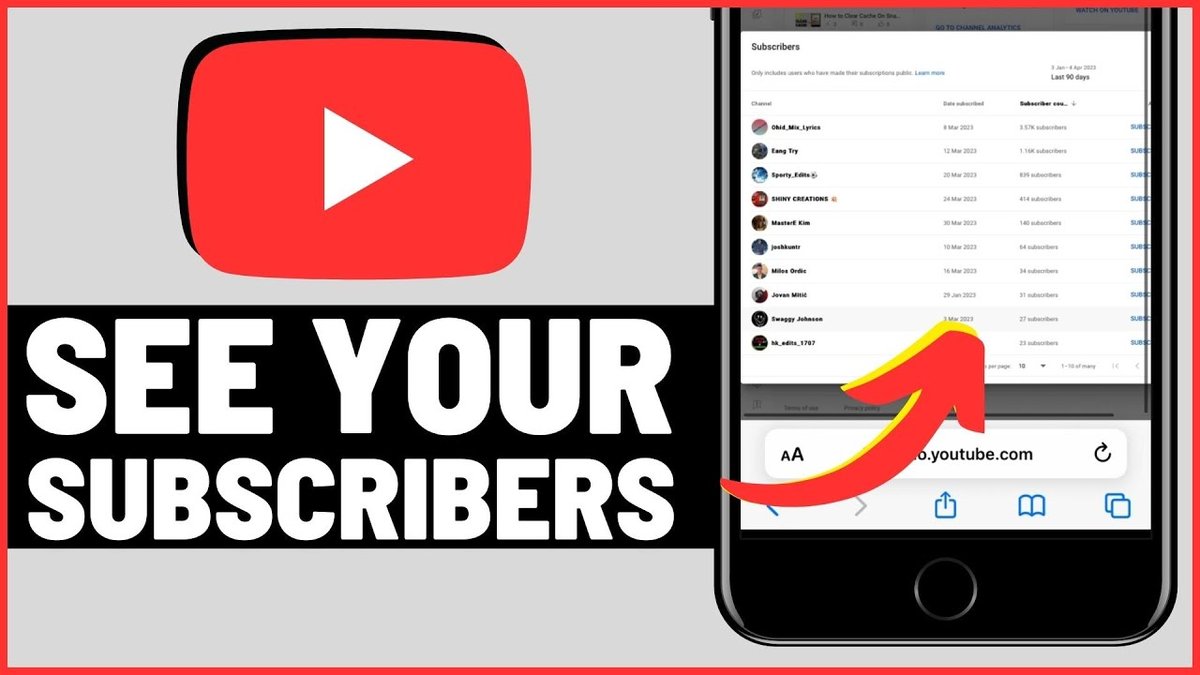
Understanding your audience is the bedrock of any successful YouTube channel. It's not just about the numbers; it's about connecting with the real people who choose to follow your journey. Knowing who your subscribers are—even in broad strokes—empowers you to create content that truly resonates, fosters a vibrant community, and ultimately, grows your channel.
While YouTube provides powerful tools to track your audience, knowing exactly how to navigate them can sometimes feel like a puzzle. This comprehensive guide will walk you through the precise steps to find out who your subscribers are, what data is available, and how to leverage these insights to elevate your content strategy.
Accessing Your Subscriber Data: Desktop vs. Mobile
YouTube offers different levels of subscriber information depending on whether you're using the desktop website or the mobile app. It's important to understand this distinction from the outset to manage your expectations and find the information you need.
On Desktop: Unlocking Your Subscriber List
When it comes to seeing a detailed list of your subscribers, the desktop version of YouTube is your go-to platform. This is where you can dive into your Creator Studio or YouTube Studio to view specific channels that have publicly subscribed to you. Keep in mind that only users who have chosen to make their subscriptions public will appear on this list.
Here's how to find your subscriber list on desktop:
- Open the YouTube website (youtube.com) in your browser and ensure you're signed into the correct channel.
- Click on your profile picture, located in the top-right corner of the screen.
- From the dropdown menu, select "Creator Studio" or "YouTube Studio."
- If in YouTube Studio: You'll typically land on your "Channel Dashboard." Look for the "Recent Subscribers" card on this dashboard. Click on "See All" to view your comprehensive list.
- If in older Creator Studio: Navigate to "Community" in the left-hand sidebar, then click on "Subscribers."
- On the "Subscribers" page, you can review the channels that are publicly subscribed to you. You can often sort this list by criteria like "Most recent" or "Most popular" to get a better overview.
On Mobile: Checking Your Subscriber Count
The YouTube mobile app (available on iPhone, iPad, and Android devices) is excellent for on-the-go management and quick checks. However, it's designed to show you your overall subscriber count, rather than a detailed list of individual subscribers.
To check your subscriber count on mobile:
- Open the YouTube app on your device and sign in to your channel.
- Tap on your profile icon in the top-right corner of the screen.
- Tap "Your Channel" or "My Channel" from the menu.
- Your channel page will display your total subscriber count prominently, usually near the top, right next to "Subscribers" or directly beneath your channel name.
For a more exhaustive guide on navigating these interfaces and uncovering all available data, refer to our detailed pillar on Accessing Your YouTube Subscriber List. This guide will help you master both desktop and mobile access points for your subscriber data.
Beyond the Names: Deep Diving into Subscriber Demographics
While seeing a list of recent public subscribers is insightful, YouTube's analytics go far beyond just names. The real power lies in understanding the collective behavior and characteristics of your audience. Within YouTube Studio's "Analytics" section, you can explore a wealth of information about who is watching your content and how they're engaging.
Here you'll find data points such as:
- Geographic location: Where in the world are your viewers?
- Age and Gender: What is the demographic breakdown of your audience?
- Watch time: How long are they watching your videos?
- Other channels your audience watches: This can offer incredible insights into their interests.
- Traffic sources: How are people finding your content?
To truly harness the power of this information and dive deep into what it all means, be sure to explore Understanding YouTube Subscriber Data &. This resource provides a detailed breakdown of each metric and how to interpret it for maximum impact.
Why Knowing Your Subscribers Matters: The Growth Equation
Knowing your subscribers isn't just a curiosity; it's a strategic imperative for channel growth. When you understand who your audience is, what they like, and how they interact with your content, you can make informed decisions that resonate more deeply. This leads to higher engagement, more views, and ultimately, a steadily growing community.
By analyzing your subscriber data, you can:
- Tailor content: Create videos on topics that truly appeal to your core audience.
- Optimize scheduling: Post when your audience is most active.
- Refine your style: Adjust your presentation based on viewer demographics and preferences.
- Build a stronger community: Engage with comments and feedback in a way that makes your subscribers feel seen and valued.
Ultimately, the strategic imperative of this endeavor cannot be overstated, as truly knowing your audience is key. Learn more about how to Understand your subscribers for growth and boost your channel's trajectory.
The Privacy Wall: What YouTube Doesn't Show You About Subscribers
While YouTube provides an impressive amount of data, it's equally important to understand the privacy limitations. YouTube takes user privacy very seriously, and as such, there are certain details about your subscribers that you simply cannot access.
Key limitations include:
- Private Subscriptions: You can only see individual subscribers who have chosen to make their subscriptions public. The vast majority of subscribers may keep their subscriptions private, meaning they won't appear on your list, even if they watch all your content.
- Personal Information: You will not see personal details such as names (beyond their channel name), email addresses, or exact individual watch histories. The demographic data provided is always aggregated and anonymized to protect individual privacy.
- Inactive Subscribers: The subscriber list primarily shows recent public subscribers, not necessarily your entire historical public subscriber base or those who have become inactive.
It's crucial to acknowledge the boundaries of what you can and cannot see, a topic we delve into extensively in What you cant see about subscribers. Understanding these limitations helps you set realistic expectations and focus on the actionable data that is available.
Turning Insights into Action: Optimizing Your Content Strategy
The journey from checking your subscriber list to achieving channel growth doesn't end with simply looking at the data. The real magic happens when you translate those insights into a refined and effective content strategy. This means taking what you've learned about your audience and applying it directly to your video planning, production, and promotion.
Consider these actions based on your subscriber data:
- If your audience is younger: Focus on trending topics, faster pacing, and platforms they frequent outside of YouTube (like TikTok or Instagram Reels) to promote your content.
- If they're concentrated in specific regions: Tailor your language, cultural references, or even specific time zone for premiering new videos.
- If they watch specific types of videos more: Double down on those formats and explore similar themes.
Armed with these insights, you're ready to make informed decisions that resonate. For practical, actionable strategies on how to Optimize your content strategy Leverage subscriber and foster a thriving community, our dedicated guide awaits.
By consistently checking your subscriber data, understanding its nuances, and strategically applying those learnings, you're not just creating videos; you're building a sustainable, engaging, and growing YouTube channel tailored for the people who love your content most.